Crew Cam AI: The Job Site Camera That Measures Siding, Takes Your Notes, and Files Everything to the Right Job
Reviewed by roofing measurement engineers · References NBC 2020, IRC 2021, FBC 8th Ed. · Roof Manager is the roof measurement & CRM platform trusted by 5,000+ contractors across the US & Canada · Editorial policy.
TL;DR
Photo and video walkthroughs that file themselves, AI job site notes, and full siding measurement reports from one photo in about 30 seconds — inside Roof Manager.
Think about the most-used tool in your roofing business. It's not the nail gun, and it's not the tear-off shovel. It's the phone in your pocket — the camera you use to document every roof, every wall, every problem, and every finished job.
Now think about where all those photos end up: a camera roll with 9,000 pictures, where the drone shot of a customer's ridge line sits between your kid's birthday party and a photo of a receipt. When the customer calls three months later about a warranty question, good luck finding the pictures from their job.
That's the problem we just fixed — and while we were at it, we taught the camera to measure siding, listen to you talk, and write your notes for you.
Meet Crew Cam AI, the newest tool inside Roof Manager, the all-in-one roofing software platform for roofing companies across Canada and the U.S. Crew Cam AI turns your phone into a job site camera, an AI note-taker, and a siding measurement app — with every photo, video, note, and measurement filed automatically to the right job in your CRM.
Here's everything it does, why we built it, and how it changes a normal day on the job site.
What Is Crew Cam AI?
Crew Cam AI is a job site documentation and measurement tool built into Roof Manager's roofing CRM. It does three jobs with one camera: photo walkthroughs, video walkthroughs, and measurements — including full siding wall measurement reports generated by AI in about 30 seconds from a photo or wall scan.
Everything you capture saves directly to the project it belongs to and is removed from your camera roll, so your business stays organized and your phone stays clean. And while you shoot, the AI listens to you talk, turning your narration into structured notes, tasks, and findings — including things you may have missed.
If you've ever stacked a photo documentation app on top of a measurement service on top of a CRM and hoped they'd talk to each other, this is what it looks like when they're all one thing.
One Camera, Three Jobs
1. Photo Walkthroughs That File Themselves
A proper photo walkthrough protects a roofing company. Before photos protect you from "that damage was already there" disputes. Progress photos keep the office and the homeowner in the loop. After photos close out the job, support warranty claims, and feed your marketing.
The problem was never taking the photos — it was what happened next. With Crew Cam AI:
- Every photo saves to the project, not to your personal camera roll. Open the job, and the walkthrough is there — in order, in one place, visible to your whole team.
- Photos are deleted from your camera roll after they upload. No more scrolling past 400 shingle close-ups to find a family photo, and no more job photos walking out the door on an employee's personal phone when they leave.
- The whole crew shoots to the same job. Your foreman's photos, your salesperson's photos, and your sub's photos all land in the same project timeline instead of being scattered across four devices.
Job site photo documentation stops being a chore you do for someone else and becomes a system that runs itself.
2. Video Walkthroughs for Crews, Customers, and Claims
Some things a photo can't show: the spongy feel of a rotten deck underfoot, water actively tracking along a truss, the full sweep of hail damage across a slope. That's what video walkthroughs are for.
Record a video walkthrough of the roof or the elevation, narrate what you're seeing, and Crew Cam AI files the video to the job the same way it files photos — saved to the project, cleared from your device. Use video walkthroughs to:
- Brief the crew before they arrive, so the foreman knows the access points, the problem areas, and the plan before the trucks roll.
- Show homeowners what you found without asking them to climb a ladder — nothing builds trust like seeing their own roof.
- Document conditions for insurance and adjusters, with a timestamped visual record attached to the job file.
3. Measurements — Starting With Siding
The third job is the headline act: Crew Cam AI measures. Point it at a wall, and in about 30 seconds you get a complete siding wall measurement report — which we'll dig into below, because it's the main reason we built this tool.
Your AI Note-Taker: Talk Through the Job, Get Notes, Tasks, and Findings
Here's the feature that surprises people the first time they use it.
While you're doing a photo or video walkthrough, Crew Cam AI listens as you talk — unless you pause it — and turns your running commentary into structured, usable output:
- Notes. "Flashing's lifting around the chimney, counter-flashing needs to be redone" becomes a written note on the job, without you ever typing a word.
- Tasks. Say "we'll need two guys out here Thursday to re-deck the back slope" and it's captured as a task, not a memory you're supposed to hold onto until you're back at the truck.
- Findings you may have missed. The AI also flags observations from the walkthrough that you noticed on camera but didn't call out — the detail your eyes passed over at 2 p.m. on your sixth site visit of the day. It's a second set of eyes that never gets tired.
Every roofer knows the gap between what you saw on the roof and what makes it into the file. You inspect, you talk to yourself, you climb down, you drive to the next appointment — and by evening, half the details are gone. AI note-taking on the job site closes that gap: the inspection and the documentation happen at the same time, because they're the same act.
And when you need to talk privately or take a phone call mid-walkthrough? Hit pause. You're in control of what the AI hears.
The Main Event: Full Siding Measurement Reports in 30 Seconds
Roofing companies that also do siding — and in Canada, that's most of them — know the pain of measuring walls. The tape-and-ladder method eats an hour per house. Sketching elevations by hand invites math errors. And ordering material from a rough guess means either a short order that stalls the job or a heavy order that eats your margin in returns and waste.
Crew Cam AI was built, first and foremost, as a siding measurement app for roofers and exterior contractors. Here's how it works:
- Take a photo of the wall. Stand back, frame the elevation, shoot.
- Wall too big for one photo? Do a wall scan. Crew Cam AI guides you through capturing the full elevation, so nothing gets cut off.
- Wait about 30 seconds. The AI analyzes the image and generates a full siding wall measurement report — with everything you need to build an estimate and place a material order.
That's the entire process. No ladder against the wall, no tape measure, no graph paper, no waiting days for a third-party measurement service report and paying a premium for it. You walk the property, you shoot each elevation, and by the time you're back in the truck the measurements are done.
How to Measure a House for Siding: The Old Way vs. the Crew Cam AI Way
If you've ever measured a house for siding by hand, you know the drill: measure the height and width of every wall, subtract the windows and doors, do the triangle math for every gable (half the base times the height), add a waste factor, divide by 100 to get your squares — and hope you didn't drop a number somewhere between the ladder and the legal pad.
| The old way | With Crew Cam AI | |
|---|---|---|
| Time on site | 1–2 hours with tape and ladder | Minutes — one photo or wall scan per elevation |
| Tools needed | Ladder, tape measure, notepad, calculator | The phone in your pocket |
| Gables and peaks | Triangle math by hand | Measured from the captured elevation |
| Error risk | Transposed digits, skipped walls, math slips | AI measures the wall as it actually is |
| Output | A pencil sketch you re-type later | A formatted report saved to the job, ready for estimate and material order |
Manual measuring isn't just slow — it's the step where siding estimates go wrong. Automating it doesn't just save the hour; it removes the most error-prone step between the lead and the material order.
From Measurement Report to Estimate to Material Order
A measurement on its own is just a number. What makes the siding report powerful is what it feeds:
- Your estimate. The report gives you the wall areas and details you need to price the job while you're still in the driveway. Pair it with Roof Manager's proposal builder — where your pricing is already saved as a pre-set template — and quoting a siding job stops being an evening of homework.
- Your material order. The report is built to hand your supplier exactly what the job needs. Fewer short orders, fewer returns, fewer "we're stalled until the delivery truck comes back" days.
- Your job file. Like everything else in Crew Cam AI, the report attaches to the project — so the estimate, the order, and the measurements all trace back to the same source.
Speed matters here for the same reason it matters in roofing quotes: the first contractor to put a professional, accurate siding estimate in the homeowner's hands usually wins the job. A 30-second measurement turns "I'll get back to you next week" into "let me walk you through the numbers before I leave."
Fully Integrated: Click the Address, See the Whole Job
Here's where Crew Cam AI stops being a cool tool and becomes part of something bigger.
Because Crew Cam AI is fully integrated with the rest of Roof Manager's CRM, everything connects to the job record. Click on the address in your Jobs section and you're looking at the entire story of that project in one screen:
- Every photo and video walkthrough from Crew Cam, in order
- Your team's progress on the work
- The AI-generated notes, tasks, and findings from your walkthroughs
- The proposal the customer agreed to
- The roof measurement report and any siding measurement reports
- And more — invoices, payments, and the full customer history
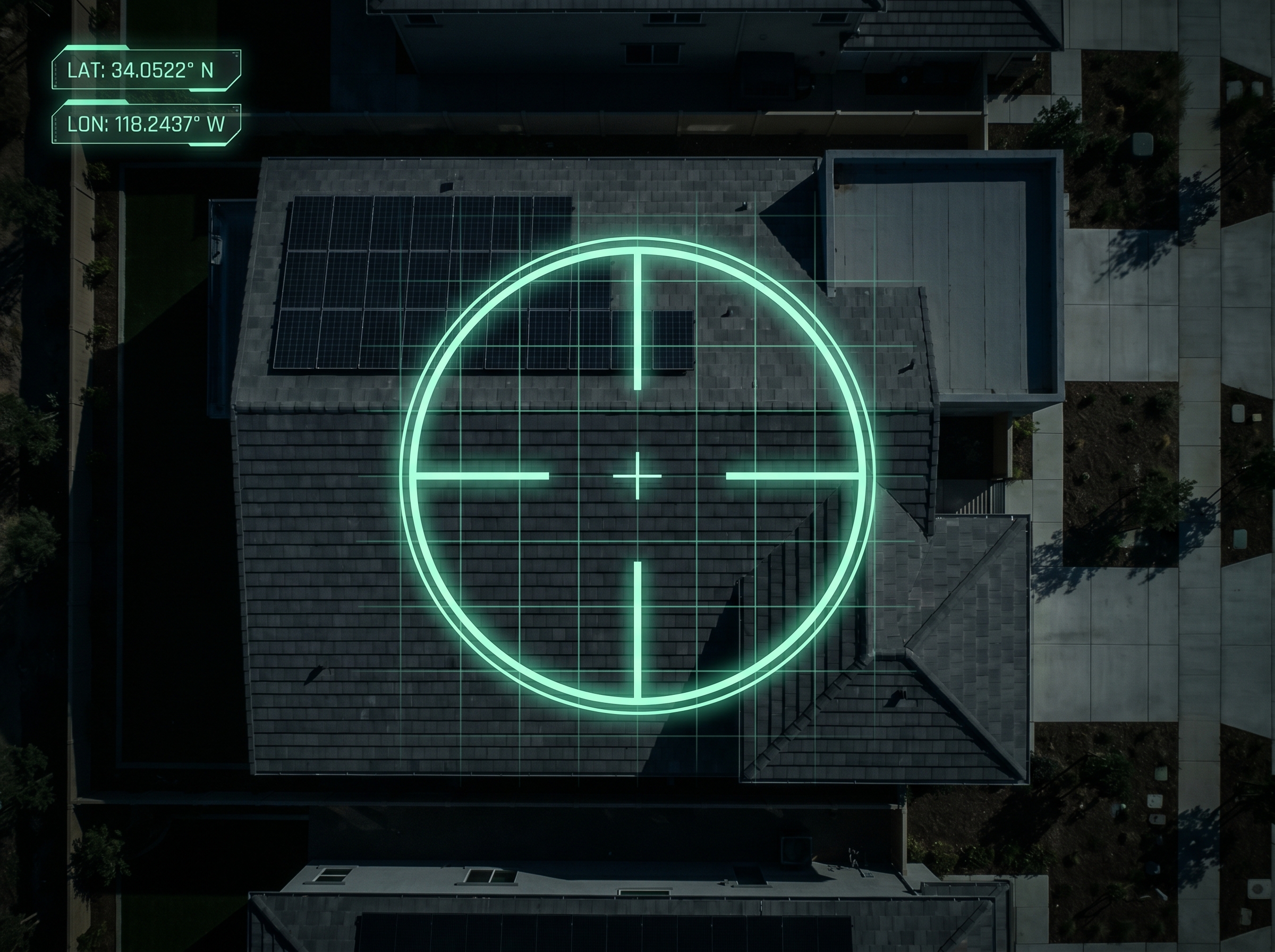
The satellite measurement reports that live in the same job file — see a real one →
Think about what that replaces. Right now, a typical roofing company runs a photo documentation app (like CompanyCam) for job site photos, a separate measurement service (like HOVER) for walls, voice memos or a text thread for field notes, and a CRM that doesn't talk to any of them. Every one of those is a silo, every silo is a subscription, and every handoff between them is a chance for something to fall through.
| The typical app stack | Roof Manager + Crew Cam AI | |
|---|---|---|
| Job site photos | Separate photo documentation app | Saved to the job automatically |
| Siding measurements | Third-party service, per-report fees, waiting | AI report from your own photo in ~30 seconds |
| Walkthrough notes | Voice memos you never replay | AI notes, tasks, and findings on the job file |
| The job file | Scattered across 4 tools and 4 logins | One address, one click, everything |
| Subscriptions | Three or four, each billed separately | One platform |
One address, one click, everything. That's what an all-in-one roofing software platform is supposed to mean — and it's the standard we're building every Roof Manager feature to, from satellite roof measurement reports to proposals to invoicing to Crew Cam AI.
A Day on the Job With Crew Cam AI
Here's what this looks like in practice.
8:30 a.m. — Siding lead in Airdrie. You walk the property and shoot each elevation with Crew Cam AI — two clean photos, one wall scan for the long back wall. By 8:45 you have full siding measurement reports for the whole house. You build the estimate from your pre-set pricing before you leave the driveway, and the homeowner has a proposal by lunch.
11:00 a.m. — Tear-off inspection in Calgary. You do a video walkthrough of the roof, talking as you go: soft decking near the chimney, two lifted flashings, a vent that needs replacing. By the time you're down the ladder, Crew Cam AI has turned your narration into notes on the job, a task list for Thursday's crew — and it flagged a finding near the valley you didn't call out.
2:00 p.m. — The office checks in. Your project manager clicks the address in the Jobs section and sees everything: this morning's walkthrough, the flagged findings, the tasks, the approved proposal, and the roof measurement report. Nobody calls you to ask "what did you find?" — it's already in the file.
5:30 p.m. — You go home. Your camera roll has zero work photos in it. Your jobs have all of them.
That's the whole pitch: the documentation, measurement, and communication work that used to fill your evenings now happens automatically, while you do the walkthrough you were doing anyway.
Why We Built Crew Cam AI
Our goal at Roof Manager has never been to be another point tool. It's to be the all-in-one roofing software platform — the one login where your leads, measurements, proposals, invoices, crews, and now your job site camera all live together.
We started with satellite roof measurement reports and a roofing CRM. We added a proposal builder that prices jobs automatically from your pre-set templates. Crew Cam AI is the next piece: it brings the job site itself — the photos, the videos, the walls, the spoken observations — into the same system as everything else. It joins the rest of our AI lineup, from the Instant Estimator that prices a roof from an address to the automation workflows roofers are building on our API.
Fewer subscriptions. Fewer silos. Fewer things to re-type. One platform that runs the whole job from first knock to final payment.
Frequently Asked Questions
What is Crew Cam AI?
Crew Cam AI is a job site camera and AI measurement tool built into Roof Manager's roofing CRM. It handles photo walkthroughs, video walkthroughs, and siding measurements — saving everything to the correct job, deleting uploads from your camera roll, and using AI to turn your spoken walkthrough into notes, tasks, and findings.
How do you measure siding from a photo?
With Crew Cam AI, you take a photo of the wall (or a guided wall scan if the elevation doesn't fit in one frame), and the AI analyzes the image to produce a full siding wall measurement report in about 30 seconds — with the measurements you need to build an estimate and place a material order.
What is a wall scan?
A wall scan is how Crew Cam AI captures walls that are too large to fit in a single photo. Instead of stitching guesses together, the app guides you through scanning the full elevation so the AI can measure the entire wall accurately.
What's included in a siding measurement report?
The report includes the wall measurements and details you need to price a siding job and order materials — generated automatically from your photo or wall scan, and saved to the project alongside your photos, videos, notes, and proposals.
Does Crew Cam AI really listen while I work?
During photo and video walkthroughs, yes — that's how it builds your notes, tasks, and findings without typing. You can pause it any time, and it only listens during walkthroughs, so you control exactly what it hears.
Where do my photos and videos go?
Every upload saves to the project it belongs to inside Roof Manager and is deleted from your camera roll. Your team sees the same job file you do, and your personal phone stays personal.
Is Crew Cam AI a separate app from Roof Manager?
No — it's fully integrated with Roof Manager's CRM. Click any address in your Jobs section and you'll see the Crew Cam photos, videos, notes, and measurement reports for that project alongside the agreed proposal, your team's progress, the roof measurement report, and the rest of the job file.
How much does Crew Cam AI cost?
Crew Cam AI comes with a 14-day free trial, then $89.99 CAD per month for up to three users, cancel anytime — on top of Roof Manager's free CRM, which includes your first two roof measurement reports free.
Your Camera Just Got a Promotion
Your phone was already on every job site. Now it measures walls in 30 seconds, writes your notes while you talk, catches the findings you missed, and files every photo and video to the right job — then cleans up your camera roll on the way out.
Try Crew Cam AI free for 14 days inside Roof Manager, the all-in-one roofing software built for roofing companies across Canada and the U.S. Do one walkthrough with it tomorrow morning, and see how much of your evening you get back.