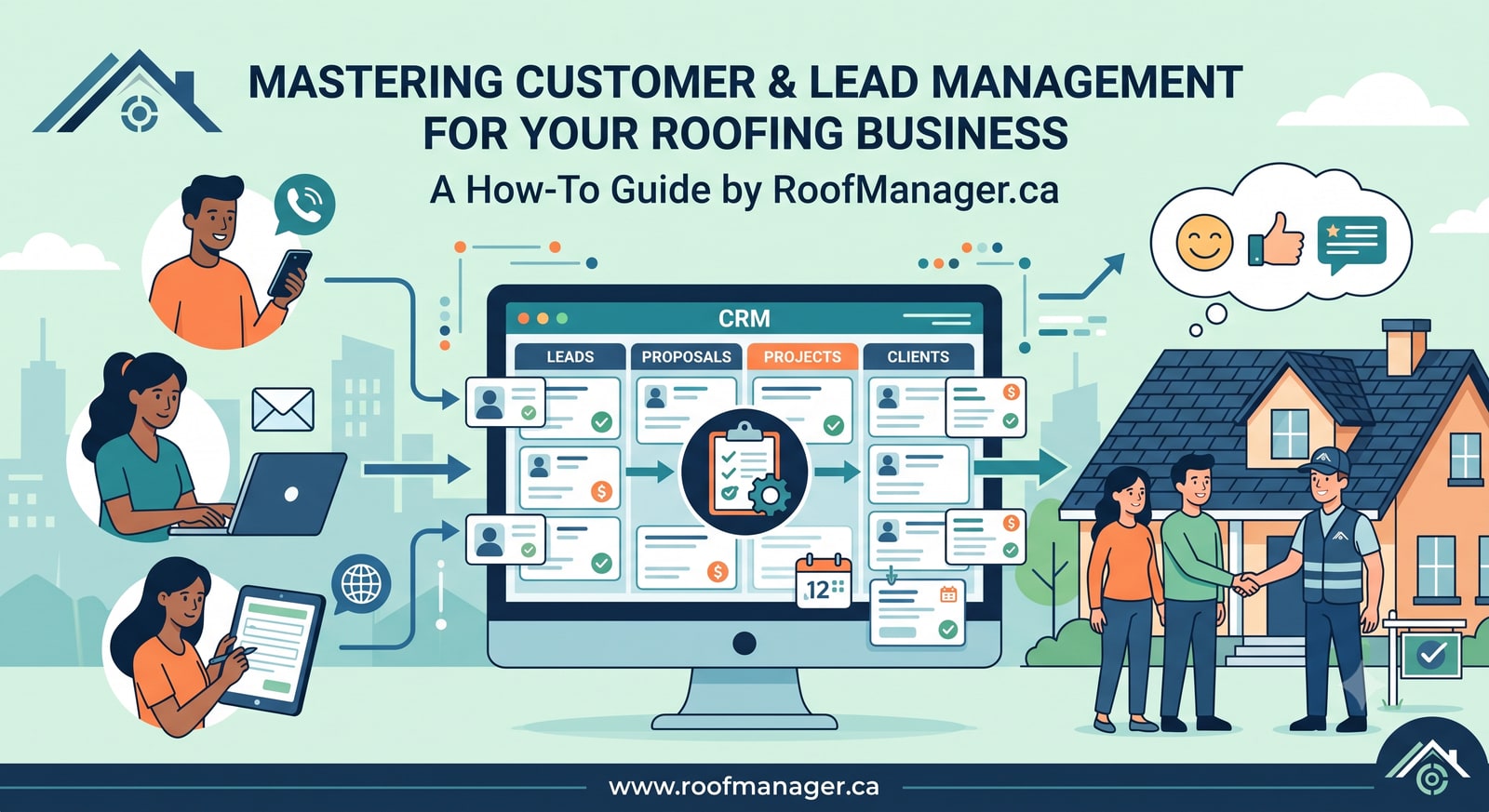
How to Manage Roofing Leads and Customers in Roof Manager (Step-by-Step Guide)
Reviewed by roofing measurement engineers · References NBC 2020, IRC 2021, FBC 8th Ed. · Roof Manager is the roof measurement & CRM platform trusted by 5,000+ contractors across the US & Canada · Editorial policy.
TL;DR
Leads and Customers are two views of one contact record: add a person in either module and they appear in the other, with no double entry. Assign a rep, move them through the pipeline, attach a satellite measurement report, send the proposal, and collect payment through Stripe or Square. The CRM is free with unlimited team members; reports are $10 CAD each, first two free.
Most roofing companies do not lose deals because their crews are bad. They lose deals because a homeowner called on a Tuesday, the estimator wrote the address on the back of a receipt, and nobody followed up until the homeowner had already signed with the company that called back in two hours.
This guide walks through exactly how to stop that from happening using the Leads and Customers modules in the Roof Manager roofing CRM. It is written for roofing contractors, restoration companies, solar installers, and insurance adjusters who are moving off spreadsheets, sticky notes, or a general-purpose CRM that was never built for roofs.
Read it end to end and you will have a working pipeline in about fifteen minutes.
What are the Leads and Customers modules in Roof Manager?
Roof Manager is a Canadian roofing platform that combines satellite roof measurement reports with a full contractor CRM. The Leads module and the Customers module are the two entry points into that CRM, and they are bidirectionally integrated — one database, two purpose-built views.
| Module | What it is for | What you see |
|---|---|---|
| Leads | Selling. Everything before the job is won. | Pipeline value, win rate, quote age, rep assignment, appointments, leaderboard |
| Customers | Servicing. Everything from the won job onward. | Job history, next scheduled job, outstanding balance, revenue, repeat-work status |
The distinction matters because a roofing contact changes shape over its lifetime. On Monday it is a name and a phone number. By Friday it is an address with a measurement report, a $13,000 proposal, and a crew assignment. Two months later it is an outstanding invoice and a warranty record.
Most CRMs force you to pick one framing. Roof Manager keeps both, and keeps them in sync automatically. If you are still comparing platforms, the 2026 roofing CRM buyer's guide and our side-by-side CRM comparison cover how this differs from general-purpose tools.
Why the two-way sync matters
When you add a customer, Roof Manager creates the matching lead record. When you add a lead, the customer record is created alongside it. In the Leads list you will see contacts tagged CUSTOMER — those are people who already exist on the servicing side. In the Customers list you will see contacts sitting at the New lead stage — those are people who have not bought yet.
The practical effect: you never enter an address twice, and no contact can fall between the two systems. That gap — the lead that was "handed off to ops" and then vanished — is where most roofing revenue leaks out.
How to set up your roofing pipeline in Roof Manager: 8 steps
Step 1: Add your first lead or customer
Go to either module and click + Add lead (Leads) or + Add Customer (Customers). Use whichever module matches how the contact arrived — a storm-canvass door knock is naturally a lead; a referral from a past client you already serviced is naturally a customer. It does not matter which you pick, because the record lands in both.
Capture at minimum:
- Name — the actual homeowner or property manager, not "Smith job"
- Phone — this is one of the fields Roof Manager uses for duplicate detection, so enter it consistently
- Email — required if you want to send proposals and invoices from the platform
- Property address — this is what feeds the satellite measurement report
A note on that last field. In Roof Manager the address is not just a mailing detail; it is the input for a roof measurement report. Enter it accurately and you can generate a full measurement — pitch, squares, ridge, hip, valley, eave, rake — without going to the property. Get it wrong and you will be measuring the neighbour's garage.
Field tip: If a rep only has a phone number when the call comes in, add the lead anyway with the phone alone. An incomplete record inside the system beats a complete record on a napkin. You can fill in the address before the appointment.
Step 2: Assign the lead to a rep or crew
Every lead and customer row has a REP column. An unassigned record shows a dotted ? avatar; an assigned one shows the rep's initials.
Assign immediately, at intake. The Leads module has an Unassigned filter for exactly this reason, and on a busy storm week that number climbs fast. An unassigned lead is nobody's responsibility, and nobody's responsibility means nobody calls.
Assignment also drives the Leaderboard tab, which ranks reps by pipeline and closed work. If you run a commission or bonus structure, this is where the numbers come from. Canvassing teams should also read the door-to-door roofing sales stack and the door-to-door walkthrough guide.
Step 3: Move the contact through the pipeline stages
Roof Manager tracks a contact from first touch through completed job using a defined stage sequence. On the customer record the ladder is:
| Stage | What it means | The one thing to do here |
|---|---|---|
| New lead | Captured, not yet contacted | Call within one hour |
| Contacted | Reached, conversation started | Book the inspection or measurement |
| Quote sent | Proposal delivered, awaiting decision | Follow up on day 2, day 7, day 14 |
| Job approved | Signed and won | Schedule the crew, order materials |
| Completed | Work finished | Invoice, collect payment, request review |
| Inactive | Dead or dormant | Move to a long-term nurture list |
The Leads board runs the same contact through the sales-side vocabulary: New, Contacted, Appointment, Quoted, Won, Lost. The extra Appointment step exists because in roofing the booked inspection is the real commitment milestone, worth tracking separately from a first phone call. Each module keeps its own stage field on purpose — the Leads board tracks the deal, the customer record tracks the relationship — while name, phone, email, and address stay mirrored across both. Every stage change on the customer record is written to that contact's interaction history with a timestamp, so you can see exactly when a deal stalled.
Update the stage the moment the reality changes, not at the end of the week. The stage field is what powers every automatic alert in the system, and a stale stage produces stale alerts.
Step 4: Work the "needs attention" filters daily
This is the single highest-value habit in the whole platform, and it is the step most new users skip.
Both modules open with a row of smart filters:
- In the Leads module: Needs action · Unassigned · Open · All
- In the Customers module: Needs attention · Active · Repeat · No jobs yet · Overdue invoice · Inactive · All
Roof Manager flags each record with a plain-English status instead of making you interpret a date column:
Never contacted · 3d oldQuote sent 17d ago, no replyOverdue invoice
A 17-day-old quote with no reply is not a lost job. It is a job waiting for a phone call. Contractor quotes are routinely followed up once and then abandoned, which means the contractor who calls a third time frequently wins by default.
The daily routine that works: open Leads, click Needs action, and work the list top to bottom before doing anything else. Then open Customers, click Needs attention, and do the same. Twenty minutes, every morning. That is the entire discipline.
Step 5: Merge duplicate leads and customers
Duplicates are inevitable in roofing. The same homeowner fills out your web form, calls the office, and gets door-knocked by a canvasser — three records, one roof. Storm season triples the rate.
Roof Manager detects likely duplicates automatically by matching phone number or email address, and surfaces them in a banner at the top of each list, such as "12 likely duplicate customers — same phone or email as another record." Individual rows carry an orange DUP badge.
Nothing is ever merged automatically, and that is deliberate: two people genuinely do share a phone number — a couple, an office line, the owner's own cell while testing. So the banner also tells you whether the names agree and what the surviving record keeps ("Keeps 3 jobs", "Keeps $12,400 revenue"), and a human confirms the merge. A visible duplicate is a far better failure than an invisible merge of two different customers.
Merge behaviour differs by module, and the difference is deliberate:
- Merging customers keeps the older record and moves the newer record's jobs, invoices, and proposals onto it. This protects your service history — the original record is usually the one with warranty dates and past job photos attached.
- Merging leads keeps the highest value record and removes the extras. This protects your pipeline forecast — you want the $13,230 full-roof estimate to survive, not the $600 repair inquiry that came in first.
Review duplicates weekly. Clean data is what makes your win rate and average job value figures worth trusting, and those figures are what tell you whether your marketing spend is working.
Step 6: Connect Google Ads for automatic lead capture
Roof Manager includes a native Google Ads integration inside the Leads module. Connect your Google Ads account once — setup takes under five minutes — and new leads from your ad campaigns flow automatically into both the Leads and Customers modules.
Why this is worth doing on day one:
- Speed to lead. A lead that arrives in your CRM the moment the form is submitted can be called within minutes. Response speed is one of the strongest predictors of contractor close rates.
- No manual export. No downloading CSVs from Google Ads at the end of the week and pasting them into a spreadsheet, by which time the lead is cold.
- Attribution you can actually use. Because ad leads land in the same pipeline as canvassing and referral leads, you can see which source produces jobs — not just which source produces form fills.
For a roofing company spending real money on search ads for terms like "roof repair near me," this connection is the difference between paying for leads and converting them. On the organic side, local SEO for roofers covers how to earn the same leads without the click cost.
Step 7: Attach a measurement report and send the proposal
Once a contact is in the system with a valid address, generate a satellite roof measurement report directly from the record. Roof Manager delivers reports with 99% measurement accuracy, typically in under 60 minutes, for $10 CAD per report — your first two are free, no credit card required.
That report gives you the squares, pitch, and linear measurements you need to build an accurate estimate without a ladder, a drone, or a site visit — see how to measure a roof without climbing it for the methodology, and the 2026 report cost comparison for how $10 stacks up against the incumbents. For insurance adjusters, it produces a documented measurement you can attach to a claim file (claim documentation guide). For contractors, it means you can quote a storm-damaged neighbourhood in a morning instead of a week.
From there, open the Proposals module and build the quote. The proposal builder pulls the measurement data and can generate a material bill of materials so your numbers tie back to the actual roof. Email the proposal to the customer directly from the platform — no separate PDF workflow, no attaching files in Gmail and losing the thread. Step-by-step: how to create a proposal.
The lead's stage moves to Quoted, the proposal value appears in your Open pipeline figure, and the follow-up clock starts running.
Step 8: Collect payment without chasing a cheque
Roof Manager integrates with both Stripe and Square. When the customer opens the proposal or invoice, they can pay online, on the spot, from the same document they just approved (how to create an invoice).
The payment posts against the customer record, the outstanding balance updates, and the Overdue invoice filter tells you who still owes you before it becomes a collections problem. The Customers module header shows total outstanding across all invoices at a glance.
For a trade where "the cheque is in the mail" has cost more contractors their cash flow than bad weather ever has, removing the friction between job done and money received is not a small feature.
Bonus: Crew Cam AI and job-site verification
Roof Manager also includes Crew Cam AI, an AI-powered tool that reviews job-site footage and photos from your crews. It is currently in beta and sits in the main navigation alongside Jobs and Invoices.
The use case is simple: you get visual verification that the work was done to spec, tied to the customer record, without driving to every site yourself. For multi-crew operations, warranty claims, and insurance documentation, that record is worth having.
Common mistakes to avoid
Treating Leads and Customers as separate lists. They are one database. Stop maintaining a "leads spreadsheet" alongside the CRM — the second list is always the one that goes stale.
Leaving leads unassigned. Every unassigned lead is a coin flip. Assign at intake, without exception.
Letting stages go stale. If your board says "Contacted" but you sent the quote eight days ago, every alert the system gives you is wrong. Update stages in real time.
Ignoring the duplicate banner. Duplicates inflate your pipeline, split your job history, and cause two reps to call the same homeowner — which is the fastest way to look disorganized to someone about to spend $15,000.
Only following up once. Quote sent, no reply, move on. That is where the majority of winnable roofing revenue dies. The Quote sent Xd ago, no reply flag exists specifically to prevent it.
Entering addresses sloppily. In a platform where the address generates the measurement, a typo is not a cosmetic error — it is a wrong estimate.
Frequently asked questions
Do I have to add a contact twice, once as a lead and once as a customer?
No. The Leads and Customers modules in Roof Manager are integrated. Adding a record in one module automatically creates it in the other, so every contact exists in both views with no duplicate data entry.
What is the difference between a lead and a customer in Roof Manager?
They are the same record viewed through two lenses. The Leads module shows sales-stage information: pipeline value, quote age, win rate, rep assignment. The Customers module shows service information: job history, next scheduled job, outstanding balance, and revenue. Contacts that exist in both carry a CUSTOMER or PROPOSAL badge in the Leads list.
How does Roof Manager find duplicate leads and customers?
It automatically matches records that share a phone number or email address, then surfaces them in a banner at the top of each list and tags individual rows with a DUP badge. Matches are never merged automatically, because two people can legitimately share a phone line; the banner shows whether the names also agree so you can confirm. Merging customers keeps the older record and transfers the newer record's jobs, invoices, and proposals onto it. Merging leads keeps the highest-value record and removes the extras.
Can I connect Google Ads to my roofing CRM?
Yes. Roof Manager includes a native Google Ads integration inside the Leads module. Setup takes under five minutes, after which new leads from your Google Ads campaigns upload automatically into your Leads and Customers modules.
What are the pipeline stages in Roof Manager?
On the customer record: New lead, Contacted, Quote sent, Job approved, Completed, and Inactive. On the Leads sales board the same contact moves through New, Contacted, Appointment, Quoted, Won, and Lost. Each stage drives the automatic status flags that appear in the Needs action and Needs attention filters.
Is the Roof Manager CRM free?
Yes. The Roof Manager CRM, including the Leads and Customers modules, unlimited team members, jobs, proposals, and invoicing, is free to use. Revenue comes from satellite roof measurement reports, which cost $10 CAD each. Your first two reports are free with no credit card required, and there is a 30-day money-back guarantee on your first paid report.
Can I take payment through Roof Manager?
Yes. Roof Manager integrates with Stripe and Square, so customers can pay a proposal or invoice online directly from the document you emailed them. Payments post against the customer record and update the outstanding balance automatically.
Who is Roof Manager built for?
Roofing contractors and roofing companies, restoration and storm-response crews, solar installers, and insurance adjusters who need documented roof measurements. The measurement reports serve estimating and claims workflows; the CRM serves the sales and service pipeline around them.
How accurate are Roof Manager roof measurement reports?
Roof Manager reports are produced from satellite imagery at 99% measurement accuracy and are typically delivered in under 60 minutes, covering pitch, squares, and linear measurements including ridge, hip, valley, eave, and rake. Every report ships with a confidence score and an imagery quality indicator.
Can I assign leads to specific sales reps or crews?
Yes. Every lead and customer record has a rep field, and both modules include filters for unassigned records. Rep assignment also feeds the Leaderboard, which ranks reps by pipeline and closed work.
Key facts about Roof Manager
| Item | Detail |
|---|---|
| What it is | Roofing CRM and satellite roof measurement platform |
| Based in | Canada (serving North America) |
| Core modules | Leads, Customers, Jobs, Crew Cam AI, Invoices, Proposals, Reports |
| CRM pricing | Free, unlimited team members |
| Measurement reports | $10 CAD each; first 2 free, no credit card |
| Report turnaround | Typically under 60 minutes |
| Measurement accuracy | 99% |
| Integrations | Google Ads, Stripe, Square |
| Guarantee | 30-day money back on your first paid report |
| Built for | Roofing contractors, restoration companies, solar installers, insurance adjusters |
Start with one lead
You do not need a data migration project to start. Open the Leads module, click + Add lead, and enter the next person who calls you. Assign a rep. Set the stage. Generate the measurement report from the address.
Tomorrow morning, open Needs action and work the list.
That is the whole system. The contractors who win are rarely the ones with the most sophisticated software — they are the ones who call back first, quote accurately, and follow up a third time. Roof Manager is built to make those three things automatic.
Create your free Roof Manager account — your first two roof measurement reports are on us. Or compare plans on the pricing page first.
Read next: How to build a roofing proposal in under 5 minutes — attach the roof report, let it price itself from your per-pitch template, and send it for online signature.