You know the drill. You order the report, you pay whatever the tier says this time — $40, $60, $87 — and then you wait. Tomorrow, maybe. Longer if a hailstorm just put every roofer in the region into the same queue. When the PDF finally lands, someone in your office re-types every number into your proposal software, because the report and the proposal have never met.
That workflow made sense in 2015. It doesn't in 2026, when AI roof measuring apps deliver aerial roof measurements in minutes for a fraction of the price. This guide shows you exactly what to demand from an EagleView alternative, puts Roof Manager — the most cost-effective of EagleView's competitors for most contractors — head-to-head against the incumbent on price, speed, accuracy, and workflow, briefly covers the rest of the roof measurement software market, and ends with a test you can run this afternoon, free, on a roof you've already measured by hand.
What to Demand From Any EagleView Alternative
Plenty of tools call themselves an EagleView alternative. Before you trust one with your bids, hold it to four standards — they're the four places the old model costs you money:
EagleView clears the third bar and none of the others. Here's the head-to-head.
EagleView vs. Roof Manager: How the Top Competitor Compares
US figures are contractor-reported, drawn from verified user reviews on Capterra and GetApp as of August 2026. In Canada EagleView publishes PremiumReport pricing: $22.50–$30 small, $45–$55 medium, $65–$75 large, $75–$85 commercial (CAD, checked 2026-08-29).
Price — the Tier Lottery vs. $10 Flat
Ask what an EagleView report costs and the answer is: it depends. Figures shared by contractors in verified reviews on Capterra and GetApp put standard residential reports at $15–$38 USD and premium reports at $87+ on larger homes, with commercial higher still and rush delivery extra. Contractors also report surprise charges for outbuildings on the same parcel, and auto-renewing volume contracts that take a phone call to escape. The full mess is documented in our breakdown of what roof measurement reports actually cost in 2026.
There's a structural reason the price is high, and it's worth understanding: EagleView built its business on capturing proprietary oblique imagery with its own fleet of aircraft. Planes, pilots, and fuel are expensive overhead, and that overhead lives inside every report you buy. Modern alternatives like Roof Manager measure from existing high-resolution satellite imagery with AI edge detection — no fleet to feed — which is how a report that's cheaper than EagleView by 75–90% became possible without cutting corners on the measurement itself.
Roof Manager's answer fits in a sentence: every report is $10 CAD. A 15-square bungalow, a cut-up 60-square two-storey with four dormers — same price. Credits never expire, the pricing page is public, and your first two reports are free with no card on file. Higher-volume shops can switch to $199 CAD/month for 30 reports plus Crew Cam AI; the trade-offs between the two models are covered in pay-per-report vs. subscription measurement pricing.
One number you can quote to your bookkeeper from memory. That's what pricing is supposed to look like.
Speed — Tomorrow vs. Before Lunch
Picture the day after a hailstorm in Calgary. Every roofer in the city is ordering reports at once, and the standard same-day-to-48-hour queue stretches. The homeowner you talked to this morning has three more contractors coming by tomorrow — which is exactly when your measurement arrives.
Now run it the other way. You knock the door at 9:40. You pull up an instant estimate on the driveway. You order the report from your truck, and before lunch you're back at the kitchen table with pitch-corrected numbers — per-facet areas, ridges, valleys, eaves — and a signed proposal by 1:00. That's not a hypothetical; it's the standard play in our 48-hour storm restoration playbook, and canvassing teams run it at scale with the door-to-door guide.
Speed isn't a convenience feature. In storm season, it's the whole ballgame.
Workflow — Where the PDF Goes to Die
Here's the part most comparisons skip: what happens after the measurement arrives. With EagleView, the answer is "your problem." The PDF lands and its job is done — no proposal, no material order, no e-signature, no invoice. So you bolt on a CRM subscription, a proposal tool, a payments platform, and an office manager's afternoon spent re-typing numbers between them. We call it app fatigue, and we wrote the cure.
With Roof Manager, the report is where the job starts, not where the vendor stops. Every measurement attaches to a lead in the free built-in CRM. Five minutes later it's a branded, e-signable proposal with the bill of materials already priced — here's the walkthrough — because you set up your catalog and suppliers once and every report prices itself after that. Deposit, progress draw, and final payment go out from the same platform, with Stripe and Square built in. No per-seat charges, so the whole crew works in one system instead of forwarding PDFs.
Nobody re-types anything. That's fewer errors, and it's also an entire layer of monthly software fees gone — the layer we itemized in how subscription costs eat roofing margins.
Accuracy — the One-Roof Test
Accuracy is EagleView's brand, so let's be fair about it. Their reports are trusted for good reason. But contractor reviews tell a more mixed story than the brand does: measurements that run "a little light or a little heavy," and premium reports occasionally missing by multiple squares on complex roofs. No aerial product is infallible — including ours.
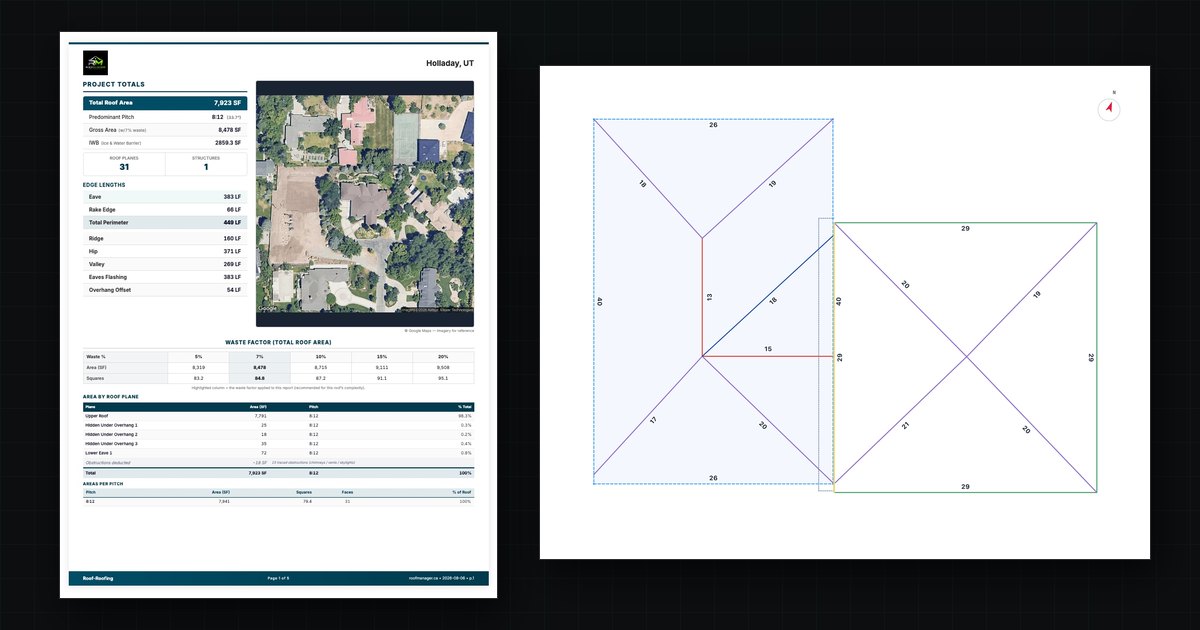
Roof Manager reports use AI edge detection cross-checked against multiple imagery sources, delivering 99% accuracy on pitch-corrected surface area — the same range independent testing found for leading AI measurement tools in our published accuracy test. Every report includes per-facet areas, pitch, edge lengths, penetrations, and configurable waste factors, so the material takeoff comes off the report, not off a hunch. For insurance work, reports are Xactimate-ready — see the claim documentation guide and how to generate an insurance estimate.
What 40 Reports a Month Really Costs
Per-report stickers hide the number that matters: your monthly spend. Take a mid-sized shop ordering 40 residential reports a month:
Over two seasons, that difference is a foreman's salary. It's a fully-loaded truck. It's not a rounding error, and it comes off your bottom line every single month whether the quarter was good or bad. Run your own volume through the savings calculator and check it against your last few invoices.
Claim your 2 free reports — no credit card, no demo call — and run the numbers on a real job.
The Canadian (and USD) Pricing Problem Nobody Talks About
If you run a roofing company in Canada, you pay a tax nobody legislated: the exchange rate. EagleView bills in USD, so every report carries a 30–40% markup before you've compared a single feature — on top of billing that never matches your books and workflows that have never heard of NBC 2020 snow loads or a Canadian insurer's documentation habits. We went deep on this in Why Canadian Roofers Overpay for Roof Reports.
Roof Manager is built in Canada and priced in CAD, and it's working every day for contractors from Calgary and Edmonton to the GTA and Vancouver. The same report closes a retail bid on Monday and documents a hail claim on Tuesday. And US contractors get the same $10 flat rate across all 50 states — which in USD works out even cheaper.
Other EagleView Alternatives on the Market
Roof Manager isn't the only name among EagleView competitors, and an honest guide says so. Here's the short version of the rest of the roof measurement software landscape — and where each option falls short of the four standards above:
Takes a ground-based approach: you (or the homeowner) walk the property and capture smartphone photos, which its AI turns into a 3D model of the whole exterior. Excellent for siding and full-exterior remodels — but it requires a site visit for every quote, which kills the estimate-before-you-knock workflow and fails the under-an-hour standard whenever you can't get to the property.
A DIY tool: a monthly subscription that lets you trace roof lines over aerial imagery yourself. The marginal cost per "report" is near zero, but you're paying with 15–30 minutes of your own tracing time per roof, and accuracy depends on your imagery and your steadiness — the labour math we ran in the hidden cost of manual roof measurements.
A similar DIY measurement and estimating app on a subscription model, popular with solo operators. Same trade: your evenings for the software's savings, with no verified third-party measurement to hand an adjuster.
Bundles self-serve map measurements into a flat-rate all-in-one CRM aimed broadly at home services. The flat monthly fee suits very high-volume multi-trade operations, but self-measured maps aren't verified measurement reports, and the fixed cost is heavy overhead for a roofing shop doing 10–30 jobs a month.
The pattern across all of them: each fixes one of EagleView's problems — price, or speed, or workflow — and leaves the others standing. Roof Manager is, to our knowledge, the only option that clears all four standards at once: flat published pricing, sub-hour verified reports, accuracy you can test free, and a workflow that runs from measurement to invoice. That's the case; the two free reports are how you check it.
When EagleView Is Still the Right Call
A comparison you can trust names the cases where the other side wins. If you're a US enterprise running thousands of carrier-mandated claims a year inside an insurer's EagleView-integrated pipeline, switching costs may outweigh the savings — stay put. And if your carrier explicitly requires a specific premium EagleView deliverable, verify the replacement first: here's exactly what a Roof Manager report includes, line by line, so you can check before committing a dollar.
For everyone else — especially the residential and mid-market shops that per-report premium pricing punishes hardest — the four rounds above are the answer.
How to Switch From EagleView in One Afternoon
There's no migration project. Four steps:
Create an account (two free reports, no card) and order one on a job you've already measured. Compare the numbers. The ordering guide shows the whole flow — four clicks.
Import your customer list into the free CRM, set up pipeline stages to match how you actually sell, and invite your team — no per-seat charge.
Set up your material catalog and suppliers, and every future report auto-prices into a proposal.